OSHA reporting requirements: a complete guide for US employers

Recordkeeping vs reporting, the OSHA 300 log, severe injury reporting rules, deadlines, and how to build an issue reporting workflow that keeps up with all of it.
Understanding OSHA reporting requirements is the baseline for any US employer running a health and safety programme. But the rules are more layered than they first appear: different thresholds apply depending on headcount, industry classification, and incident severity, and the forms, deadlines, and submission routes all interact with each other. Getting caught out at posting time, or worse, missing a severe incident report window, is a preventable problem, as long as the data is being captured correctly from the moment an issue happens on site.
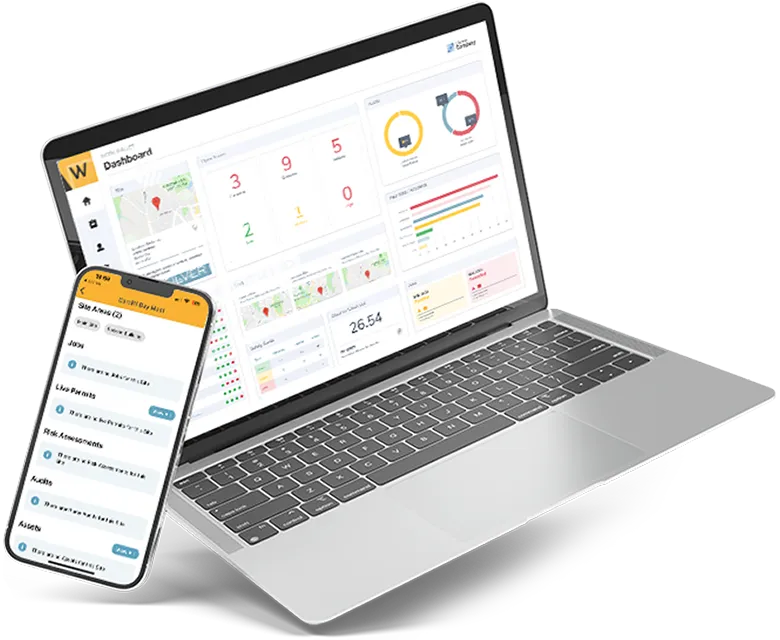
This guide walks through the core OSHA reporting requirements every safety team should have covered, including the difference between recordkeeping and reporting, the OSHA 300 log, severe injury reporting rules, and key deadlines. It then looks at how to configure an issue reporting workflow, like the one inside Work Wallet’s health and safety dashboard, so the data OSHA asks for is captured, categorised, and ready to go.
OSHA recordkeeping vs reporting: what’s the difference
These two terms get used interchangeably, but they’re separate obligations with separate rules. Recordkeeping means maintaining an ongoing log of work-related injuries and illnesses (Forms 300, 301, and 300A), and it’s size- and industry-dependent, generally required for employers with more than 10 employees, with some low-risk industries partially exempt. Reporting means notifying OSHA directly and immediately when a severe incident occurs, and it applies to every employer covered by the OSH Act, regardless of size or industry exemption. In short: recordkeeping is what you maintain all year; reporting is what you’re required to do within hours of a serious incident.
OSHA 300 log requirements: the three forms to know
OSHA’s recordkeeping regulation (29 CFR Part 1904) centres on three forms. Together they build the audit trail that regulators, insurers, and your own safety team rely on.
| Form | Purpose | Cadence |
|---|---|---|
| Form 300 | Log of Work-Related Injuries and Illnesses: one line per recordable case | Updated within 7 calendar days of the employer learning of a case |
| Form 301 | Injury and Illness Incident Report: the detailed case-level report behind each Form 300 entry | Completed alongside each recordable case |
| Form 300A | Annual Summary: a roll-up of the year’s Form 300 data, certified by a company executive | Posted annually, even with zero recordable cases |
Recordkeeping obligations generally apply to employers with more than 10 employees, with some low-risk industries partially exempt. Reporting obligations for severe incidents, covered below, apply to all employers regardless of size or exemption status.
OSHA reporting timeline: key dates and thresholds for 2026
- February 1 – April 30: Form 300A must be posted in a visible location at each establishment, certified by a company executive, even where no recordable incidents occurred during the year.
- March 2: deadline for electronic submission of the prior year’s data through OSHA’s Injury Tracking Application (ITA).
- Records retention: Forms 300, 300A, and 301 must be kept on file for five years.
Who has to submit electronically, and what
Electronic ITA submission requirements scale with establishment size and industry risk classification:
- 250+ employees (not on OSHA’s exempt industries list): submit Form 300A data.
- 20–249 employees in a high-hazard industry listed in Appendix A: submit Form 300A data.
- 100+ employees in a designated high-hazard industry listed in Appendix B: submit detailed Form 300 and 301 data in addition to Form 300A.
Multi-site employers, take note: these thresholds apply per establishment, not per company. A national contractor with twenty 40-person sites may have very different obligations across its portfolio to a single 300-person head office, which is exactly the kind of detail that’s easy to lose track of without a system that reports at establishment level.
Severe injury reporting OSHA: the 8-hour and 24-hour rules
Separately from recordkeeping, all employers, regardless of size or industry exemption, must report severe incidents directly to OSHA:
- Within 8 hours: any work-related fatality.
- Within 24 hours: any work-related in-patient hospitalisation, amputation, or loss of an eye.
These windows are short, and they start from when the employer becomes aware of the incident, not from when the paperwork is finished. This is the area where a mobile-first reporting workflow earns its keep, because the reporting clock rarely waits for someone to get back to a desk.
Where issue reporting workflows typically break down
Most of the compliance risk in this process doesn’t come from not knowing the rules. It comes from the gap between an incident happening and the right data reaching the right form. Common failure points include:
- Incident detail captured on paper, a text message, or a call to a supervisor, then re-keyed into the OSHA log later, which introduces delay and transcription error.
- No consistent way to flag, at the point of reporting, whether a case meets OSHA’s recordability criteria or crosses into severe-incident territory.
- Incident data siloed by site or region, making it hard to build an accurate, company-wide Form 300A at year end.
- No clear ownership trail for who reviewed, classified, and closed out a case, which matters if the log is ever audited.
Configuring Work Wallet’s Issue Reporting module for OSHA compliance
Work Wallet’s Issue Reporting module separates the initial report from the investigation, and that split maps neatly onto OSHA compliance, as long as the two stages are configured to do different jobs. The initial report is filed by whoever witnessed or experienced the incident, who is very unlikely to know or care what OSHA calls a “recordable case.” The investigation is filed by a safety manager or EHS lead who does. Trying to collect OSHA-grade detail at the first touchpoint slows reporters down and risks people under-reporting simply to avoid a long form. The better design keeps the front door fast, and does the compliance-grade data capture in the investigation stage that follows.
1. Keep the initial report category structure deliberately simple
Because the category selected on the initial report drives which workflow, fields, and approvals apply from that point forward, the category list is the wrong place to encode OSHA’s detailed case classifications. A small, severity-based set (for example, First Aid / Minor, Recordable Injury, Major Injury or Hospitalisation, Fatality) gives reporters an obvious, fast choice, while still giving admins enough of a signal at the point of submission to route the right cases into the right investigation workflow and, where relevant, trigger the 8-hour and 24-hour severe-incident clocks immediately. Save the finer OSHA distinctions (injury type, body part, exposure type) for the investigation stage, where they belong to a workflow rather than a fixed category that’s locked in from the moment the report lands.
2. Keep the initial report form short
Configure the initial report with only what’s needed to log that something happened and get the right people notified: what happened, where, when, who was involved, and the severity category above. A handful of fields, mobile-first, completed in under a minute. Anything that maps directly to Form 301 detail (job title, task being performed at the time, object or substance involved, precise nature of the injury) belongs in the investigation, not the initial report, so that speed and completion rates for the person on the ground aren’t traded off against OSHA’s data requirements.
3. Configure severity-based escalation on submission, not after review
Automated escalation rules can trigger off the severity category selected on the initial report itself, rather than waiting for an investigation to be assigned. That means a Major Injury or Fatality selection notifies the relevant safety manager the moment the report is filed. That matters given how tight OSHA’s 8-hour and 24-hour severe-incident windows are, while lower-severity cases route through the standard investigation queue without needing the same urgency.
4. Build the OSHA-aligned data capture into the investigation workflow
The investigation stage is where the safety manager or EHS lead, who does understand OSHA’s recordability criteria, completes the detail Form 301 requires and confirms whether the case is OSHA-recordable at all (not every First Aid case will be). This is also the natural place for a pre-publication review step: the investigation isn’t marked complete, and the case isn’t treated as confirmed for the log, until someone with the right knowledge has checked classification, added findings, and signed off, while the original initial report and its timestamp remain untouched for audit purposes.
5. Map site and establishment structure to OSHA’s reporting units
Structure sites within Work Wallet to reflect OSHA’s definition of an “establishment,” so headcount-based thresholds (the 250-employee, 20–249, and 100+ bands above) can be applied and reported against correctly per location, rather than rolled up incorrectly at company level.
6. Use dashboards and BI reporting to build the 300A summary
With severity categories, investigation data, and site structure configured consistently, the annual Form 300A summary becomes a reporting exercise rather than a data-gathering one. Work Wallet’s BI and dashboard views can be filtered by establishment and date range to produce the case counts, days-away figures, and case types the summary requires, ready for an executive to review and certify ahead of the February 1 posting deadline.
7. Export data from your dashboards for ITA upload
For establishments that meet the electronic submission thresholds, the same BI and dashboard views used to build the Form 300A summary can be exported to CSV, formatted to match OSHA’s ITA batch upload template, and submitted directly through the Injury Tracking Application’s CSV upload option. Because the underlying investigation data is already structured and validated by the time it reaches the dashboard, this export is a short final step rather than a rebuild. The March 2 deadline becomes a matter of pulling a clean CSV and uploading it, rather than compiling data from multiple sources under time pressure.
Worth checking with your Work Wallet contact: exact field mappings and export formats can vary by account configuration and module version. It’s worth confirming the current CSV export layout against OSHA’s ITA template with your account or implementation team before locking in a workflow design.
The payoff: less scramble at deadline time
None of this changes what OSHA requires. The thresholds, forms, and deadlines are fixed. What changes is how much manual reconstruction work sits between an incident happening on site and that data being audit-ready. A well-configured issue reporting workflow means the February and March deadlines are a formality rather than a fire drill, and severe incidents get to the right person in minutes, not hours.
Frequently asked questions about OSHA reporting requirements
What needs to be reported to OSHA?
Two different things get reported to OSHA. First, ongoing recordkeeping data (Forms 300, 301, and 300A) for any covered employer, posted annually and, above certain establishment size and industry thresholds, submitted electronically through the ITA. Second, and separately, severe incidents must be reported directly to OSHA as they happen: any work-related fatality, in-patient hospitalisation, amputation, or loss of an eye. The second category applies to every employer, even those otherwise exempt from routine recordkeeping.
How long do you have to report an injury to OSHA?
It depends on the severity. A work-related fatality must be reported within 8 hours of the employer learning of it. A work-related in-patient hospitalisation, amputation, or loss of an eye must be reported within 24 hours. Standard recordable injuries that don’t meet those severe-incident criteria aren’t reported to OSHA immediately. Instead, they’re recorded on the OSHA 300 log within 7 calendar days of the employer learning of the case, and rolled up into the annual Form 300A.
Who is exempt from OSHA recordkeeping?
Employers that had 10 or fewer employees at all times during the previous calendar year are partially exempt from routine recordkeeping, unless OSHA or the Bureau of Labor Statistics specifically requests records in writing. Certain low-risk industries listed in OSHA’s exempt industries appendix are also partially exempt, regardless of size. Neither exemption removes the obligation to report severe incidents: fatalities, hospitalisations, amputations, and eye losses must still be reported by every covered employer.
What is the penalty for late OSHA reporting?
Late or missed reporting is treated as a recordkeeping or reporting violation and is subject to OSHA’s standard civil penalty structure, which is adjusted annually for inflation. As of 2026, a serious or other-than-serious violation can carry a penalty of up to $16,550, while willful or repeat violations can reach up to $165,514 per violation. The actual amount depends on factors including employer size, good faith compliance efforts, and prior violation history. If a submission deadline is missed, OSHA generally still expects the data to be submitted as soon as possible rather than left outstanding.
This article is intended as a general guide to OSHA recordkeeping and reporting requirements and does not constitute legal or compliance advice. Employer obligations vary by headcount, industry classification, and state plan, including states such as California with their own OSHA-approved plans. Employers should confirm current requirements directly with OSHA (osha.gov/injuryreporting) or qualified legal counsel.
Get Started
Join the 10,000+ companies that grow with Work Wallet every day - trusted to simplify operations, boost safety, and keep teams connected.