Incident reporting software: what it is and how to choose the right one

Incident reporting software lets teams log and manage accidents, near misses and safety concerns in real time, replacing paper forms and email chains with a structured digital process. Every incident is captured with a timestamped record, assigned to the appropriate owner and tracked through to resolution.
For UK employers, the case for digital incident reporting goes beyond convenience. Timely, accurate incident records are a legal requirement under RIDDOR (Reporting of Injuries, Diseases and Dangerous Occurrences Regulations 2013), and incomplete records are one of the most common findings in HSE enforcement investigations. This article covers what incident reporting software does, what to look for and how to evaluate your options.
What does incident reporting software do?
At its core, incident reporting software provides a structured way to capture the facts of an incident – who was involved, what happened, when, where and what the immediate actions were – and manage the subsequent investigation and corrective actions.
The key functional components are:
- Mobile-first reporting – workers can log an incident from a smartphone at the point it occurs, while the details are fresh and the scene is accessible
- Structured forms – guided fields ensure all required information is captured (type of incident, injuries sustained, witnesses, contributing factors)
- Photo and evidence capture – workers can attach images and documents to the incident record directly from their device
- RIDDOR flags – the system identifies whether an incident meets RIDDOR reporting criteria and surfaces the relevant data for submission to the HSE
- Investigation workflow – root cause analysis, corrective actions and close-out are tracked within the same record
- Notifications and escalation – supervisors and safety managers are automatically notified when a new incident is logged
- Analytics and trend reporting – safety managers can identify recurring incident types, high-frequency locations and causal patterns over time
How is digital incident reporting different from paper-based?
| Consideration | Paper-based reporting | Digital incident reporting software |
|---|---|---|
| Reporting speed | Forms completed after return to office | Logged at the point of the incident |
| Data completeness | Fields often left blank or illegible | Mandatory fields ensure complete records |
| RIDDOR compliance | Deadlines missed due to manual tracking | RIDDOR-relevant incidents flagged automatically |
| Investigation tracking | Separate spreadsheet or email trail | Actions assigned and tracked within the system |
| Trend analysis | Manual data extraction required | Real-time dashboards and automated reports |
| Audit readiness | Physical files at risk of loss or damage | Tamper-evident digital records, always accessible |
What features matter most when choosing incident reporting software?
The market contains a wide range of options, from standalone incident reporting tools to modules within broader health and safety management platforms. When evaluating, prioritise the following:
- Mobile usability – if the form is difficult to complete on a phone, workers will not complete it at the scene. Look for clean, tap-optimised forms with offline capability for low-connectivity environments.
- Customisable forms – your incident types, locations, departments and contributing factor categories should map to your organisation’s structure, not a generic template.
- RIDDOR integration – the system should capture the specific data fields required for an HSE RIDDOR submission and alert the responsible person when a notifiable incident has been logged.
- Corrective action management – incident reporting without closed-loop corrective action management captures data without driving change. Ensure actions can be assigned, tracked and signed off within the platform.
- Integration with the broader H&S system – standalone incident tools create silos. An incident reporting module that shares data with risk assessments, audits and training records gives a more complete picture of safety performance.
Is incident reporting software a legal requirement?
There is no legal requirement to use specific software. However, UK health and safety law creates clear obligations that incident reporting software directly supports:
- The Health and Safety at Work etc. Act 1974 requires employers to maintain a safe working environment and investigate incidents to prevent recurrence
- RIDDOR requires employers to report certain incidents to the HSE within defined time limits – failure to do so is a criminal offence
- The Social Security (Claims and Payments) Regulations 1979 require employers to keep an accident book recording all work-related injuries
In practice, paper-based systems make it significantly harder to demonstrate compliance with these requirements consistently. When the HSE investigates a serious incident, the quality of the employer’s incident records is one of the first things assessed.
Work Wallet’s incident reporting module
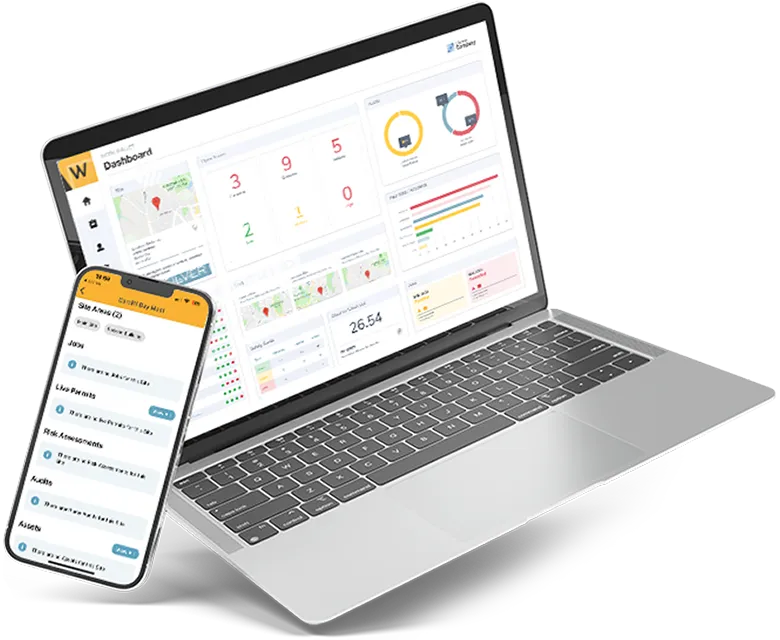
Work Wallet’s incident reporting module allows workers to log accidents, near misses and dangerous occurrences from the Work Wallet mobile app, with photo capture, location tagging and guided form fields. RIDDOR-relevant incidents are flagged automatically, and the data needed for an HSE submission is structured within the record.
Corrective actions are assigned and tracked through to close-out, and all incident data feeds into Work Wallet’s reporting dashboard alongside audit, risk assessment and permit activity. Safety managers can filter by site, incident type or date range and export records for regulatory purposes.
Frequently asked questions about incident reporting software
What is incident reporting software?
Incident reporting software is a digital platform that enables organisations to log, manage and investigate workplace accidents, near misses and safety concerns. It replaces paper forms with a structured, mobile-accessible record that supports RIDDOR compliance and corrective action tracking.
How does incident reporting software work?
Workers log an incident using a guided form on a mobile device or desktop. The record is timestamped, stored securely and shared with relevant supervisors. The system identifies RIDDOR-relevant incidents, assigns corrective actions and tracks them to close-out. Safety managers can access all records and run reports from a central dashboard.
Is incident reporting software a legal requirement?
No specific software is legally mandated, but UK employers are legally required to record and report certain incidents under RIDDOR and to maintain an accident book. Incident reporting software is the most reliable way to meet these requirements consistently and demonstrate compliance in an investigation.
What is the difference between an accident report and a RIDDOR report?
All work-related accidents should be recorded internally in the employer’s accident book, regardless of severity. A RIDDOR report is an additional legal obligation that applies to a defined subset of incidents – fatalities, specified injuries, over-7-day incapacitation and certain dangerous occurrences – which must be submitted to the HSE.
Capturing incidents accurately is the foundation of safety improvement
Incident reporting software is not just a compliance tool – it is the data source from which meaningful safety improvement comes. Organisations that capture and investigate every incident, including near misses, build a picture of where their risk profile is concentrated and what control measures are actually working. That picture is only as good as the quality of the reporting process underneath it.
Get Started
Join the 10,000+ companies that grow with Work Wallet every day - trusted to simplify operations, boost safety, and keep teams connected.