Lone worker phone apps: what to look for and what the law requires

A lone worker phone app lets employees who work alone check in with their team, raise alerts in an emergency, and stay monitored without additional hardware. For UK employers, it is also part of meeting the legal duty of care that applies whenever a worker is isolated – whether in a remote field location, an empty office or a client’s premises.
This article covers what a lone worker app does, what to look for when choosing one, how UK law applies to lone worker monitoring and how Work Wallet’s Lone Worker module supports these requirements.
What is a lone worker phone app?
A lone worker phone app is a mobile application that enables solo workers to communicate their status and location to a supervisor or monitoring service in real time. Unlike dedicated personal safety devices – wristbands, GPS trackers, satellite communicators – an app runs on a standard smartphone the worker already carries, which reduces cost and deployment friction.
The core functions of a lone worker app typically include:
- Scheduled check-ins – the worker confirms they are safe at set intervals; a missed check-in triggers an escalation
- Panic or SOS button – the worker can raise an immediate alert if they feel threatened or have an accident
- GPS location sharing – supervisors or monitoring teams can see the worker’s last known location
- Two-way communication – the worker can speak with or message a contact without leaving the app
- Timed sessions – the worker sets a task duration and is prompted to confirm completion or raise an alert
Is there a legal requirement for lone worker monitoring in the UK?
There is no single regulation that specifically mandates lone worker monitoring software. However, the legal framework creates a clear obligation to put adequate safeguards in place.
Under the Health and Safety at Work etc. Act 1974, employers have a duty to ensure, so far as is reasonably practicable, the health, safety and welfare of all employees – including those who work alone. The Management of Health and Safety at Work Regulations 1999 require employers to carry out risk assessments that specifically consider the risks of lone working.
Where a risk assessment identifies that lone workers face specific risks – physical isolation, no immediate access to first aid, work in high-risk environments – employers must put control measures in place. A lone worker monitoring app is one of the most effective and proportionate controls available. The HSE’s guidance on lone working states that employers must consider how they will communicate with and respond to lone workers in an emergency.
The practical position is that for any employer whose workers regularly work alone, failing to provide a monitoring mechanism is difficult to defend if an incident results in injury or death.
App-based vs hardware-based lone worker solutions
| Factor | App-based solution | Dedicated hardware device |
|---|---|---|
| Device cost | None – runs on existing smartphone | Purchase cost per device, typically £50–£300+ |
| Deployment speed | Fast – install and configure via MDM or self-service | Slower – physical procurement and distribution |
| Worker adoption | Higher – familiar device and interface | Variable – additional device to carry |
| Coverage | Depends on mobile network signal | Some devices include satellite as fallback |
| Battery life | Drains smartphone battery faster | Dedicated devices often have extended battery |
| Suitability for extreme environments | Standard smartphones may not be rated | Some devices are ruggedised and IP-rated |
For most office-based, field service and social care lone workers, an app-based solution is the most practical and cost-effective choice. Dedicated hardware is better suited to workers in genuinely remote locations with poor mobile coverage, or high-risk environments where a ruggedised device is required.
What to look for in a lone worker phone app
Not all lone worker apps are built the same. When evaluating options, employers should assess the following:
- Check-in escalation process – what happens when a worker misses a check-in? Is there an automated escalation path to a named emergency contact or a 24/7 monitoring centre?
- Alert options – does the app support both manual SOS and automatic alerts (e.g. man-down detection via accelerometer)?
- Integration with internal systems – can alerts feed directly into the employer’s incident management workflow rather than requiring a separate response process?
- Audit trail – does the app retain a timestamped record of check-ins, alerts and communications that could be used as evidence in an incident investigation?
- Compliance reporting – can supervisors pull a report showing lone worker check-in compliance across a team or site?
- Cross-platform support – does the app work on both iOS and Android?
How Work Wallet’s Lone Worker module works
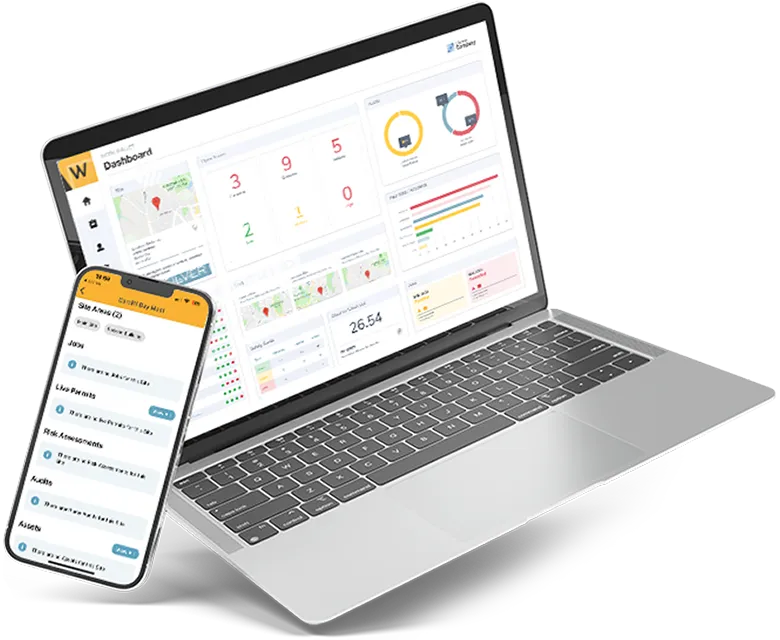
Work Wallet’s Lone Worker module operates within the Work Wallet platform, meaning that lone worker activity is recorded alongside other health and safety data – risk assessments, permits to work and incidents – in one place. This matters for audit purposes and for organisations that want a single view of safety activity rather than multiple disconnected tools.
Workers use the Work Wallet app on their existing smartphone to initiate a lone worker session. They set a duration, and if they do not check in or close the session within that window, a nominated supervisor or emergency contact is alerted. Alerts can also be raised manually. All sessions and alerts are logged with timestamps and can be reviewed by safety managers.
For workers in field environments who are also completing risk assessments before a task begins, the module integrates naturally with Work Wallet’s point of work risk assessment functionality.
Frequently asked questions about lone worker phone apps
What is a lone worker phone app?
A lone worker phone app is a mobile application that allows solo workers to check in, raise alerts and share their location with a supervisor or monitoring service. It replaces or supplements dedicated personal safety devices by running on an existing smartphone.
Is there a legal requirement for lone worker monitoring?
UK law does not mandate a specific product or technology, but the Health and Safety at Work etc. Act 1974 and the Management of Health and Safety at Work Regulations 1999 together require employers to assess and control the risks of lone working. Where those risks are significant, a monitoring mechanism is a standard and expected control measure.
How does a lone worker check-in app work?
The worker starts a session in the app and sets a check-in interval or session duration. At each interval, they confirm they are safe. If a check-in is missed or the session expires without being closed, the app triggers an alert to a designated contact. The worker can also raise a manual SOS alert at any time.
Does a lone worker app replace the need for a risk assessment?
No. A lone worker app is a control measure, not a substitute for a risk assessment. Employers must still identify the specific risks a lone worker faces and document how those risks are being controlled. The app is one part of that control framework.
The right tool for a genuine risk
Lone worker safety is one of the areas where a small investment in the right technology can have a disproportionate impact. A lone worker phone app does not eliminate the risk of an isolated incident, but it dramatically reduces the time between something going wrong and someone being able to respond. For the workers operating alone every day, that difference is material.
Get Started
Join the 10,000+ companies that grow with Work Wallet every day - trusted to simplify operations, boost safety, and keep teams connected.