What is HSE software and what should it include?

HSE software (also known as EHS software or health, safety and environment software) helps organisations manage health and safety compliance, risk assessments, incident reporting, and audits from a single platform.
While the terminology varies by region, the purpose remains the same. EHS (Environment, Health and Safety) is more common in the US and multinational organisations, whereas HSE (Health, Safety and Environment) is more widely used in the UK and Australia.
However, it is important to understand the distinction between HSE software and the HSE. In the UK, the Health and Safety Executive (HSE) regulates workplace health and safety. In contrast, HSE software refers to the digital tools organisations use to manage health, safety, and environmental processes and meet their compliance obligations.
What does HSE software do?
HSE software replaces the paper-based, spreadsheet-based and email-based processes that most organisations use to manage health and safety with a structured digital environment. The core functions that most HSE software platforms include are:
- Risk assessment management – create, review, version-control and share risk assessments with digital signatures and an audit trail
- Incident reporting – log accidents, near misses and dangerous occurrences in real time via mobile, with RIDDOR-relevant data capture
- Audit and inspection management – schedule and complete audits using configurable checklists, with corrective action tracking
- Permit to work – issue, approve and close out work permits electronically
- Training and competency management – track worker certifications, induction completion and training expiry dates
- Contractor management – onboard, induct and monitor contractors, with document and certification storage
- COSHH and chemical management – maintain records of hazardous substances and applicable control measures
- Lone worker monitoring – check-in and alert functionality for workers operating without direct supervision
Not every platform covers all of these functions equally well. The strongest HSE software platforms are those where all modules share a common data layer – so that, for example, an incident record is automatically linked to the relevant risk assessment and the worker’s training record.
Is HSE software the same as EHS software?
Yes, for practical purposes. HSE software and EHS software describe the same category of platform: a system for managing health, safety and environment processes digitally. The difference is terminological, not functional.
Other terms used for the same category include: health and safety management software, safety management software, online safety management system and occupational health and safety software. All describe a digital platform that supports H&S compliance management. EHS software tends to include environmental management functions; HSE software may focus primarily on health and safety.
What to look for when evaluating HSE software
| Criteria | What to assess |
|---|---|
| Mobile usability | Can workers complete risk assessments, log incidents and confirm permits on a smartphone? Platforms that require desktop access are a barrier to field adoption. |
| Configurability | Can forms, workflows and approval chains be adapted to your organisation’s structure, not just a generic template? |
| Audit trail integrity | Every record change should be timestamped and attributed to a named user. This is non-negotiable for regulatory and legal defensibility. |
| Modular vs all-in-one | Standalone tools (e.g. an incident-only app) are cheaper initially but create data silos. All-in-one platforms provide a unified view of safety performance. |
| Reporting and analytics | Can safety managers extract real-time dashboards, trend reports and compliance summaries without manual data exports? |
| Implementation and support | For organisations without dedicated H&S IT resource, vendor support during and after implementation is as important as the software itself. |
Work Wallet as HSE software
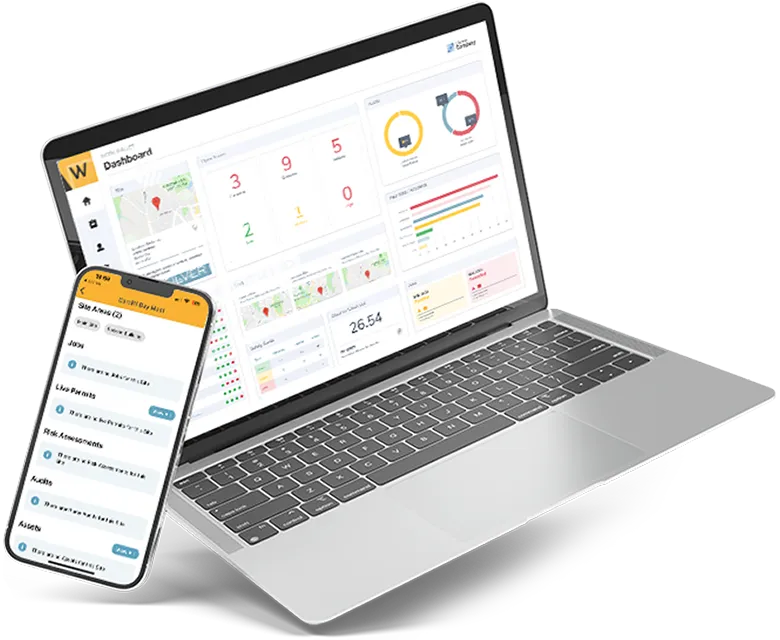
Work Wallet is a UK-based health and safety software platform covering Risk Assessments, Permit to Work System, Audits and Inspections, Contractor Management, Lone Worker Monitoring and Digital Inductions. All modules operate within a single mobile and desktop application, sharing a common audit trail and reporting layer.
Work Wallet is designed for field-heavy industries including construction, utilities, facilities management and manufacturing – sectors where health and safety activity needs to happen at the point of work, not in a back-office system.
Frequently asked questions about HSE software
What is HSE software?
HSE software (Health, Safety and Environment software) is a digital platform for managing health and safety compliance, risk assessments, incident reporting, audits and related processes. The term is used interchangeably with EHS software and health and safety management software.
What does HSE software include?
Core HSE software functions typically include risk assessment management, incident reporting, audit and inspection management, permit to work, training and competency tracking, contractor management and lone worker monitoring.
Is HSE software the same as EHS software?
Yes. HSE (Health, Safety and Environment) and EHS (Environment, Health and Safety) describe the same management discipline with the elements listed in a different order. Both terms refer to the same category of software platform.
Is HSE software the same as software from the Health and Safety Executive?
No. The Health and Safety Executive (HSE) is the UK workplace safety regulator. HSE software, in the context of this article, refers to health, safety and environment management software used by employers – not software produced by or for the HSE regulator.
Choosing the right platform for your organisation
The HSE software market is crowded, and most providers offer similar core functionality. However, the features that matter most in practice are mobile usability, audit trail quality, system flexibility, and industry experience.
For example, organisations should assess how well a platform performs in real-world field conditions, how easily teams can configure workflows, and whether the provider understands their sector’s specific challenges.
Most importantly, organisations should prioritise user adoption alongside functionality. After all, if field engineers and frontline workers do not use the platform, it becomes an administrative burden rather than an effective safety management tool.
Get Started
Join the 10,000+ companies that grow with Work Wallet every day - trusted to simplify operations, boost safety, and keep teams connected.